 spirkz
spirkz Threads
Short videos that teach. Now with a place to talk about them.
Threads is the discussion side of spirkz. The feed is still TikTok-style short videos made for education only, and now any lesson can turn into a conversation: start a thread on a subject, ask the question the video left you with, add a photo or a clip, and talk it through with people learning the same thing. Every thread is reviewed before it goes live, so the discussion stays about learning.
Threads is live in the spirkz app. Free on the App Store and Google Play.
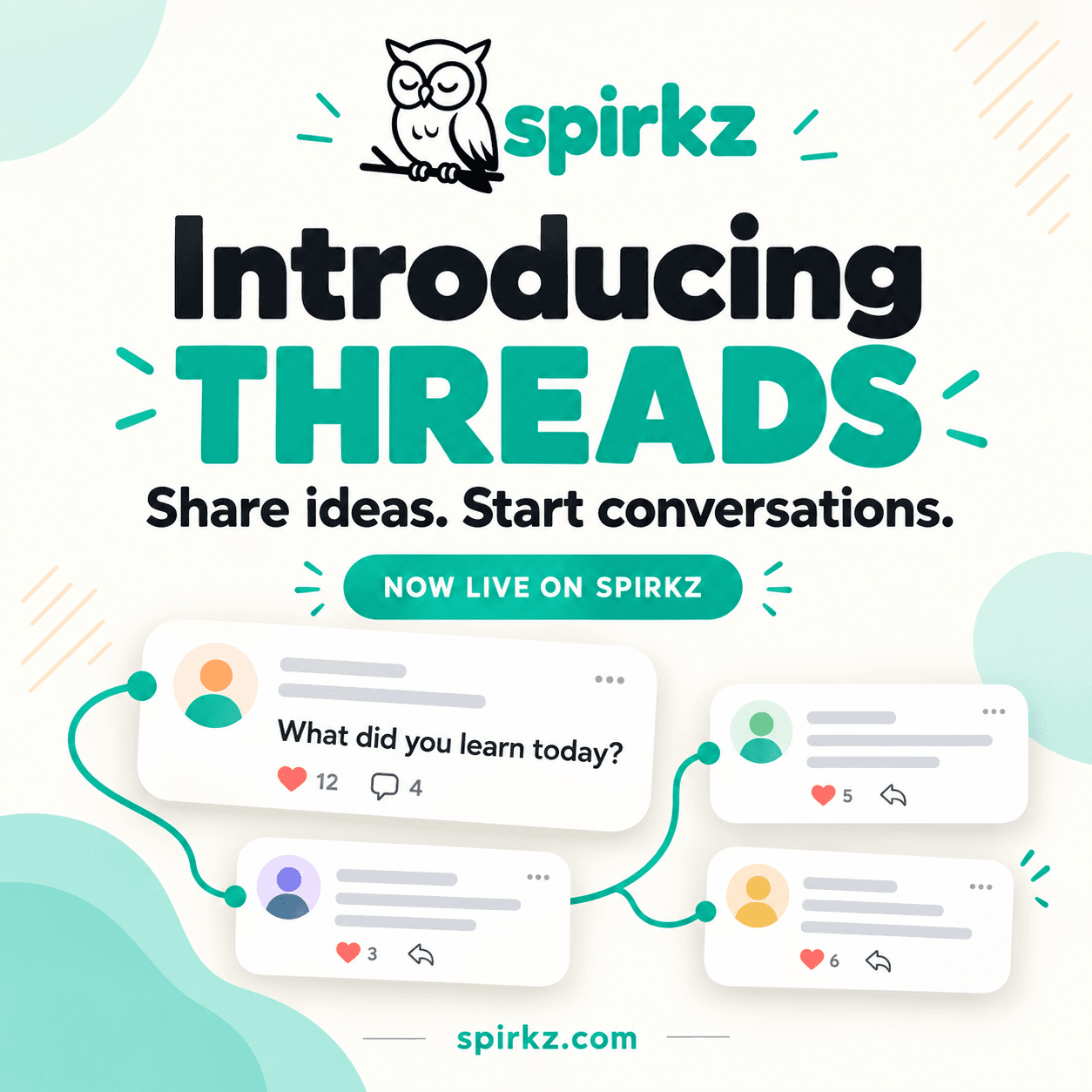
What a thread on spirkz is
Short videos are good at giving you one idea in under a minute. They are bad at everything that comes after: the follow-up question, the thing you are not sure you understood, the example from your own life. A thread is where that part happens. It is a post with a title, some text if you want it, up to five photos or videos, a subject and a language. People reply to it, reply to each other, and the whole conversation stays attached to the subject it belongs to.
01
Start a thread, not a comment
A thread has a title and a subject, so it can be found by anyone learning the same thing next week. A comment under a video disappears with the scroll. A thread is a page.
02
Talk it through
Comments, replies to comments, and a like or dislike on each one. Replies stay one level deep on purpose, so an argument reads as a conversation rather than a tangle.
03
Reviewed before it is public
A reviewer checks every thread before it goes live. Spam, ads and off-topic posts never reach the feed, which is the difference between a discussion board and a comment section.
TikTok-style, built for learning. The discussion is too.
Every general short-video app has comments. Almost none has a discussion. The comments under a viral video are a pile of reactions that vanish with the next swipe, ranked by whatever got the most taps. spirkz keeps the format and changes what discussion is for.
Comments under a viral videoA reaction to one video, gone with the next swipe
A spirkz threadA titled post on a subject, with its own page that stays
Comments under a viral videoAnyone can post anything, and the loudest rises
A spirkz threadA reviewer checks every thread before it goes live
Comments under a viral videoRanked by whatever got the most taps
A spirkz threadFor you, Newest or Top, ranked by your subjects and language
Comments under a viral videoReplies nested until nobody can follow them
A spirkz threadComments and one level of replies, with a like or dislike on each
Comments under a viral videoNo way to attach the thing you are talking about
A spirkz threadUp to five photos or videos in a thread
Comments under a viral videoEvery language in one stream
A spirkz threadEach thread has a language, and you can filter to yours
Threads are written by spirkz users and reviewed by the spirkz team before publication. A review checks that a thread is about learning and follows the community rules; it is not an endorsement of what a thread says.
How Threads works
Threads lives behind the Community button next to a video's share button, so a discussion is always one tap from the lesson that started it.
- 1
Open Community from any video
Tap Community next to the share button. You land on the threads for your subjects and language, sorted for you, or switch to Newest or Top. Search by title or text, or filter to one topic.
- 2
Start a thread
Give it a title, add text if it needs it, attach up to five photos or videos, and pick one to five subjects and a language. Then send it for review.
- 3
A reviewer checks it
Every thread is reviewed before it goes live. If it is declined you see why, can edit it, and it goes straight back into the queue. Approved threads stay yours to edit or delete.
- 4
Talk it through
Comment, reply to a comment, like or dislike. You are notified when someone comments on your thread, replies to you or likes what you wrote, so a conversation carries on without you watching the app.
What a thread adds to a lesson
The numbers are small on purpose. A thread is meant to be read and replied to, not scrolled.
5
Photos or videos you can attach to a thread
1 to 5
Subjects a thread is filed under, out of 12
3
Ways to sort: For you, Newest and Top
100%
Of threads reviewed before they go live
The subjects a thread can be filed under
- Science
- Languages
- History
- Coding
- Math
- Business
- Art & Design
- Health
- Finance
- Geography
- Music
- Psychology
Threads people start
What did you learn today?
Everything12 likes · 4 repliesCan someone explain the Roman Republic vs the Empire in plain words?
History5 likes · 3 repliesMy first 30-second Python script. What would you change?
Coding6 likes · 2 replies
spirkz Threads: common questions
- What is spirkz Threads?
- Threads is the discussion feature inside spirkz, the short-video app for education. A thread is a post with a title, optional text, up to five photos or videos, a subject and a language. Other learners reply in comments, reply to each other and like or dislike each comment. It lives behind the Community button next to a video's share button.
- Is spirkz a TikTok-like app for education?
- Yes. spirkz uses the same vertical, under-a-minute, swipe-to-next format as TikTok and Instagram Reels, with one rule: every video has to teach something. Threads adds what those feeds lack for learning, a place to discuss a lesson properly instead of a comment section that vanishes with the next swipe.
- Can I have discussions on spirkz?
- Yes. That is what Threads is for. Start a thread on any of the 12 subjects, ask a question or share something you learned, and talk it through in comments and replies. You are notified when someone comments on your thread, replies to you or likes your comment.
- Who can start a thread?
- Anyone with a spirkz account. You do not have to be a creator or have published a video. A thread needs a title and at least one subject; text, photos, videos and a language are optional. You can have up to five threads waiting for review at a time.
- Why is my thread in review?
- Every thread is checked by a reviewer before it goes live, so the discussion stays about learning and free of spam and ads. While it is in review only you can see it. If it is declined you see the reason, can edit it, and it goes straight back into the queue.
- Can I add photos or videos to a thread?
- Yes. A thread can carry up to five attachments, photos or videos, shown in the order you choose. They are uploaded from your phone when you write the thread.
- How are threads sorted?
- For you is the default: it ranks recent threads by the subjects and language you chose when you joined, how much discussion they have, and how fresh they are. Newest and Top do what they say. You can also search by title or text, and filter to one subject or language.
- Is Threads free?
- Yes. Threads is part of the spirkz app, which is free to download and free to use, on both the App Store and Google Play.
Share ideas. Start conversations.
Threads is live on spirkz. Watch a lesson, open Community, and ask the question it left you with. Free on the App Store and Google Play.